What Is Cloud Storage and How Do You Use It
What is cloud storage ? – Every day, we create and use data in the digital world we live in. There’s a place where all your photos, videos, documents, emails, and even school or work files are stored. People used to save their data on USB drives, memory cards, or hard drives. However, this method of storing data can sometimes lead to data loss, or the drives and memory cards can become corrupted or run out of space. This is where online storage comes in.
online storage has become a popular and reliable way to securely save information online. It allows people to store their files on the internet and access them from almost any device whenever needed. Whether you’re a student, a working professional, or a business owner, online storage makes life easier and your data more secure.
What is cloud storage?
Online storage is a service that allows you to store your data on the internet instead of on your personal device. These servers are managed by cloud service providers and can be accessed via the internet.
In simple terms, when you save a file to the cloud, it is uploaded to a secure online location. You can then access, edit, or share that file anytime, as long as you have an internet connection. You don’t need to carry any physical storage device with you.
An Easy Way to Understand data storage online
Think of data store online as a virtual locker. Instead of storing your belongings in a physical locker, you store them online. You can access this locker from your phone, laptop, or tablet, from anywhere. As long as you remember your login details, your files will always be accessible.
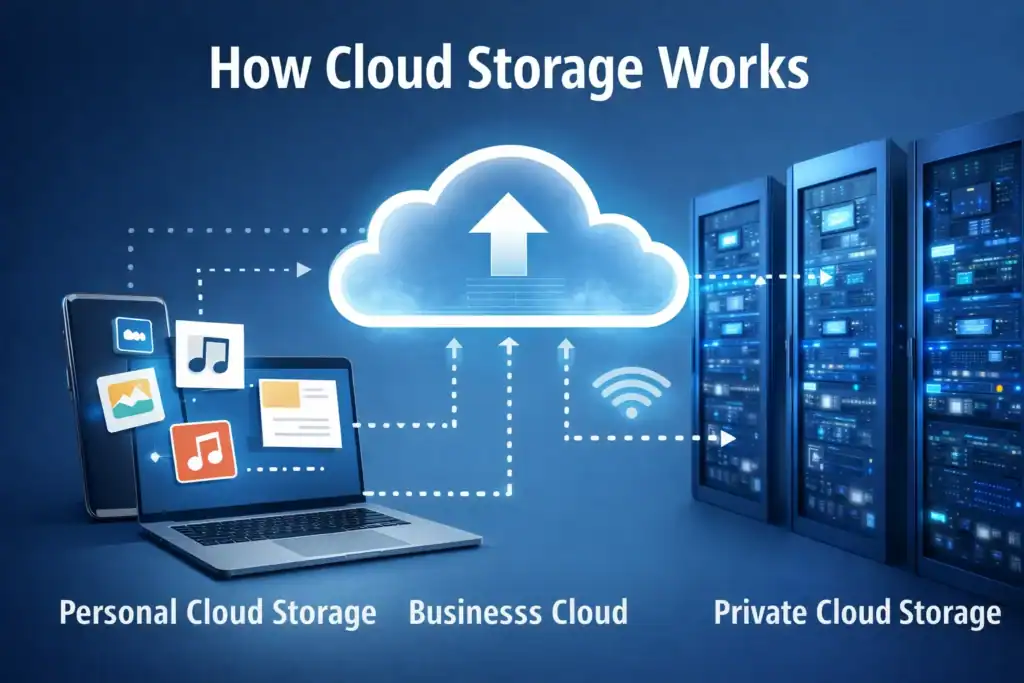
How Cloud Storage Works
remote storage is an online server that works like a blockchain, which we all access via the internet. When you upload a file, it’s sent to these servers over the internet. The data is saved there and kept secure using security measures such as encryption. When you want to access the file, you can view it on your device through the server or share it directly from there. This process happens quickly and simply, often in just a few seconds.
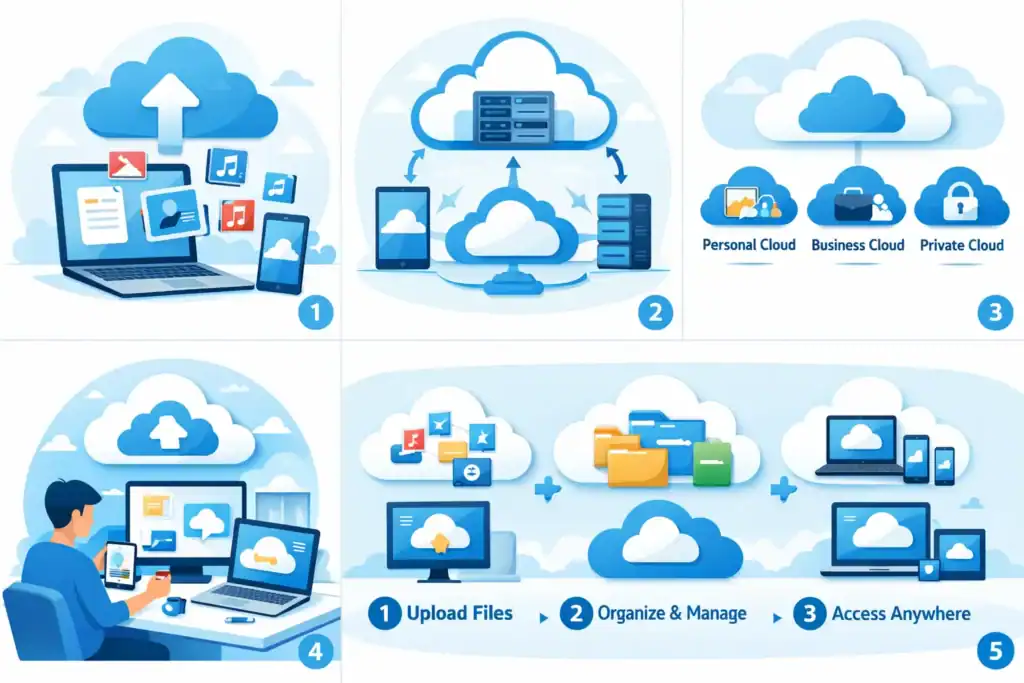
Type of cloud storage based on user and management
Online storage for individual
This type of storage is designed for individual users to store personal files. It is often used to store photos, videos, music, documents, and backups. Many people use it to save phone data or important personal files.
Cloud Storage for business
Business online storage is designed for teams and organizations. It allows multiple users to store, share, and collaborate on files simultaneously. This type of storage typically includes features such as access control, collaboration tools, and larger storage capacities.
Public and Private Cloud Storage
Public online storage is shared among multiple users, but keeps data separate and secure. Private personal storage is dedicated to a single organization and offers greater control and customization. Businesses often choose private personal storage for sensitive data.
Benefits of online Storage
online storage offers several advantages and is used in various ways.
You can easily access it anytime, anywhere.
The biggest advantage of cloud storage is accessibility. You can access your files from anywhere in the world using any device with an internet connection. This is especially beneficial for people who travel or work remotely.
Cost-Effective Solution
Another significant advantage of online storage is that it reduces the need to purchase physical storage devices or expensive hardware. Many services offer free storage plans, and paid plans are also typically quite affordable. You only pay for the amount of storage you need.
Automatic Backup and Recovery
Cloud storage helps protect your data from loss. If your device malfunctions, is stolen, or crashes, your data remains safe and secure in the cloud. Many cloud services provide automatic data backup, ensuring your data is protected.
Common Uses of online Storage
online storage is used in everyday life, often without people even realizing it.
Storing Photos, Videos, and Documents
Many people use cloud storage to save personal memories like photos and videos. Important documents such as resumes, assignments, and certificates are also commonly stored in the cloud.
File Sharing and Collaboration
Cloud storage makes sharing files easy. Instead of sending large email attachments, you can simply share a link. Teams can work on the same document simultaneously, making collaboration much easier.
Device Backup
Cloud storage is frequently used to back up smartphones, tablets, and computers. This ensures that users can easily save and transfer their old data when switching to a new device.
How do you use cloud storage?
Using cloud storage is a very simple process, even for beginners. You can learn this process in just a few steps.
Choosing a online Storage Service
Start by choosing a online storage provider that suits your needs. Consider factors such as free storage space, security features, ease of use, and pricing plans.
Creating an Account
Once you’ve chosen a service, you’ll need to create an account using your email address and password. Some services may require phone verification for added security.
Uploading and Organizing Files
After logging in, you can upload files directly from your device. You can create folders, rename files, and organize your data just like you would on a computer.
How to Access Your Data on Multiple Devices
You can access your account by logging in on different devices. Many services also offer mobile apps, making it easy to access your cloud files from anywhere on any device.
Is online Storage Safe?
Security is a common concern when it comes to storing data online. The good news is that online storage services provide very strong security for their users.
Data Encryption
Most cloud storage providers use encryption to protect your data. This means your files are transformed into a coded format that cannot be read without the correct authorization.
Strong Passwords and Additional Security
Users can enhance security by creating strong passwords and enabling two-factor authentication. This adds an extra layer of security by requiring a verification code during login.
Advantages and Disadvantages of Cloud Storage
Like any technology, cloud storage has its advantages and disadvantages.
Advantages
Easy access from anywhere
Saves physical storage space
Automatic backups
Easy file sharing
Disadvantages
Requires internet access
Limited free storage
Potential privacy concerns if not managed properly
Cloud Storage vs. Traditional Storage
Traditional storage devices like USB drives and external hard drives store data locally. While they can be useful, they are susceptible to loss or damage. Cloud storage, on the other hand, keeps data online and secure, offering better accessibility and backup options.
Tips for Using Cloud Storage Effectively
Organize files into folders
Clean up data that is not regularly used
Use strong passwords
Avoid uploading sensitive data on public networks
Frequently Asked Questions (FAQs)
1. Is an internet connection required to use cloud storage?
Yes, an internet connection is necessary to upload and access files.
2. Is cloud storage free?
Most services offer limited free storage with paid options for more space.
3. Can cloud storage be hacked?
While no system is perfect, strong security measures make cloud storage very secure.
4. What happens if I forget my password?
Most services offer password recovery options.
5. Can I share files with others?
Yes, cloud storage makes file sharing easy through links or permissions.
6. Is cloud storage suitable for students?
Yes, it’s very useful for saving assignments, notes, and projects.
Conclusion
Cloud storage is a modern and convenient way to store and manage data digitally. It offers flexibility, security, and ease of use that traditional storage methods often lack. Whether you want to back up your phone, share files with others, or securely store important documents, cloud storage is a smart choice. By understanding how it works and using it wisely, anyone can enjoy the benefits of this powerful technology